At some point, Chrome tabs stop being helpful and start being noise.
You open a doc.
Then another.
Then a dashboard.
Then five more dashboards that all use the same favicon.
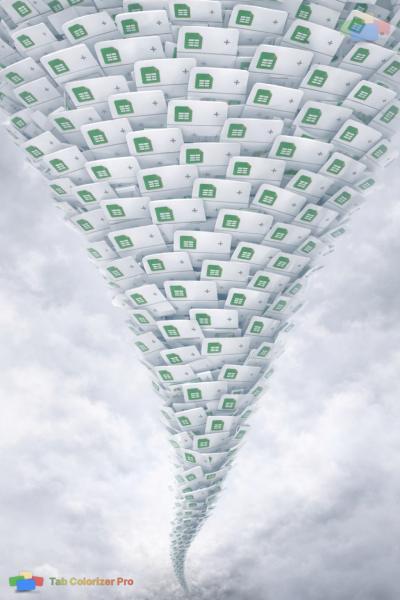
Now every tab looks identical.
If you've ever found yourself clicking the wrong tab over and over, or hovering each one just to read the title, this isn't a focus problem. It's a design limitation.
Favicons Were Never Meant for Heavy Tab Use
Favicons work great when:
- You have a few tabs open
- Each site has a unique icon
- You're switching between very different destinations
They completely fall apart when:
- You work inside the same tools all day
- One product uses the same icon for every page
- Your tabs are all docs, tickets, dashboards, or reports
In those cases, favicons don't help you identify what a tab is, only where it came from.
That's why so many Chrome tabs end up looking the same.
Identical Chrome Tabs Create Invisible Friction
This is the part most people underestimate.
When tabs look the same, your brain has to:
- Read tiny text repeatedly
- Hover to preview titles
- Click, realize it's wrong, go back
- Repeat
Each moment is small.
The accumulated friction is not.
It's the same mental tax that makes cluttered desks exhausting, even if everything technically works.
If your tabs look the same in Chrome, it's not because you're disorganized. It's because the browser gives you no visual hierarchy once favicons stop being unique.
The Real Problem Isn't Too Many Tabs
The problem isn't volume.
It's lack of differentiation.
Your brain is extremely good at spotting color and contrast.
It's much worse at parsing strings of similar icons and truncated text, especially when you're already juggling tasks.
That's why favicon-based tab management breaks down for real work.
And why so many people feel calmer the moment they add any kind of visual distinction back into their tab bar.
Where This Leaves You
If you:
- Work in Chrome all day
- Use tools that reuse the same favicon
- Feel friction switching between tabs
Then favicons alone aren't enough.
They were never designed for that job.
👉 If this sounds familiar, you might also relate to how mis-clicking identical tabs adds up to mental fatigue, we break that down in our previous post.
And if you want to see how visual differentiation should work, Tab Colorizer Pro helps you organize tabs with persistent color coding. Try our interactive demo to see it in action.